
LSC Patch
Generator
Build a Magisk patch to replace Lens Shading Correction gainmaps on a modded phone.
Description
This page allows you to re-generate Lens Shading Correction gainmaps and get a Magisk patch tuned for your specific rooted device. It was created to fix a purple tint issue which happens when you mod a phone by replacing its tiny built-in lens with a high-quality C-Mount lenses.
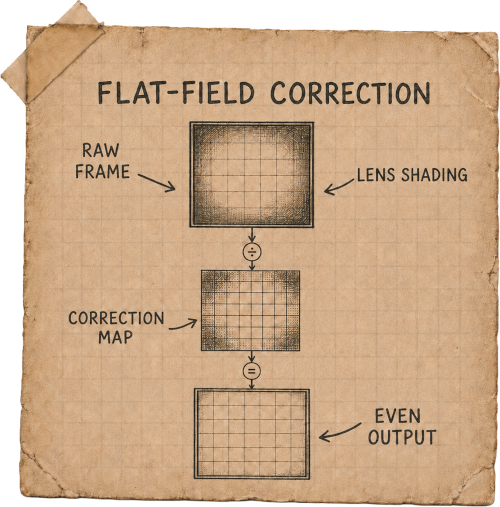
The effect is similar to constantly applying a Flat-Field Correction profile. It works well with default output formats like JPEG and MP4. RAW will contain updated gainmaps in metadata (depending on your camera app settings) and usually auto-applied in photo editor software.
It is currently in alpha testing stage and supports .tuned .bin files for modern Chromatix Parser v1.x.x, v2.x.x and v3.x.x, as well as some legacy devices which do not have .tuned .bin files but store rolloff table gainmaps baked into .so files instead. If your device is not supported yet or you have any other issue, please contact me in Discord!
Create a Flat-Field correction profile:
- Download Open Camera
- Enable Camera2Api in its settings, select RAW photo format shooting mode
- Set your C-Mount lens aperture to 85%-open and fix it like that. For my f/1.8-16 lens I set it to f/3.5
- Set lens focus to the center position between the nearest and farthest points
- Set your monitor brightness to max, turn off Night Light mode, use the Calibration Area below (switch to White)
- Turn off room lights, stick your lens INTO the monitor with straight angle, no light leaking from the sides
- Take a shot in horizontal (landscape) orientation which fills the whole screen with white color while displaying the purple tint issue (see example below)
Calibration Area
Locate your .tuned .bin file:
- Download a file manager with root access (like Total Commander)
- Navigate to /vendor/lib/camera/ or /vendor/lib64/camera/ folder
- Look for file named com.qti.tuned.$sensorName.bin
- Copy it to Downloads folder or any other place you can access from your phone or PC without using root file explorer
Generate a Magisk patch:
- Please do not rename your tuned .bin file so Magisk patch could be generated correctly
- Drag and drop a Flat-Field profile .dng together with .tuned .bin into the drop zones below
- Download Magisk patch .zip result, install it and reboot your device
- Each Free tier user gets 5 generations per day limit and 512 MB total max uploads. Please join my Patreon to increase your quota and support the project
Drag and drop a .dng file here, or click to select one

Drag and drop a .bin file here, or click to select one
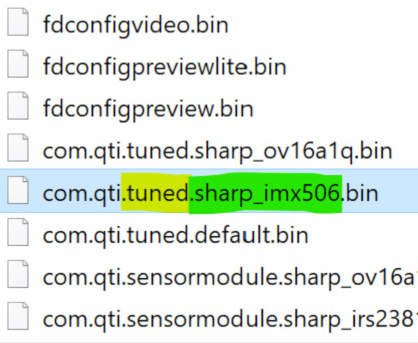
Folder locations on your device