Camera App
It started as a specialized camera app for modded phones but quickly grew into something much bigger, providing the image processing pipeline controls to get the most out of your phone camera modules.
DownloadMore control
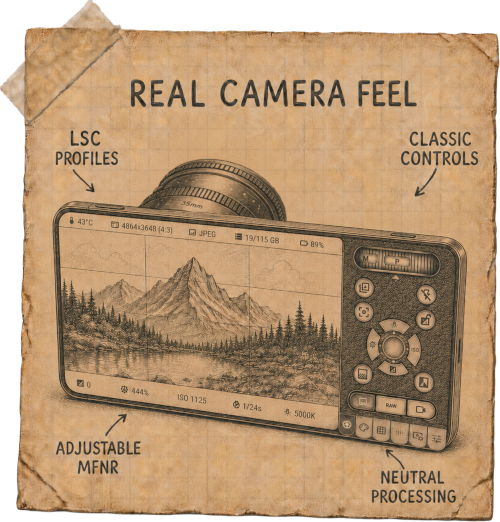
A phone camera app usually makes most of the imaging decisions for you. This app gives a way to take some of them back - by choosing how much of the phone's computational photography should shape the final image.
- Neutral processing: disable aggressive sharpening and other built-in filters for a natural image
- RAW Video: retain full sensor data for greater flexibility in post-production
- Custom LSC profiles: calibrate the image for different lenses and switch between them when you need to, without rooting
- Live image controls: adjust contrast, vibrance, and tone mapping while you shoot
- Adjustable MFNR: tune multi-frame noise reduction instead of simply accepting the default
- Synthetic slow shutter: create long exposure effects beyond the limits of the standard camera app
- Configurable overlays: adjustable Focus Peaking sensitivity for precise focusing, Zebra for accurate exposure monitoring, adjustable transparency of the stats and framing grid for better visibility
Premium design
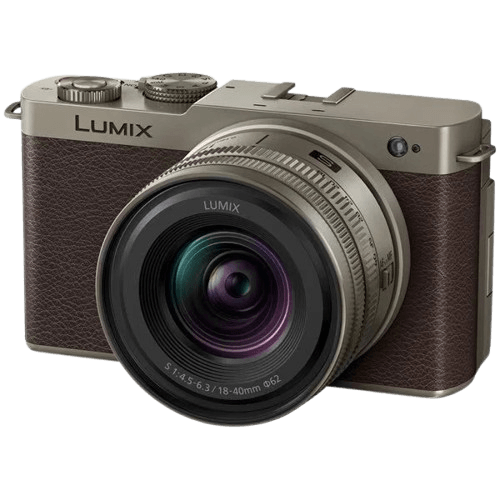
The interface is inspired by a limited-edition Lumix S9 Titanium Gold. The idea was simple: if you're going to transform your phone into a camera, the software should feel like it belongs there too. If you've used a real camera before, much of it should feel immediately familiar.
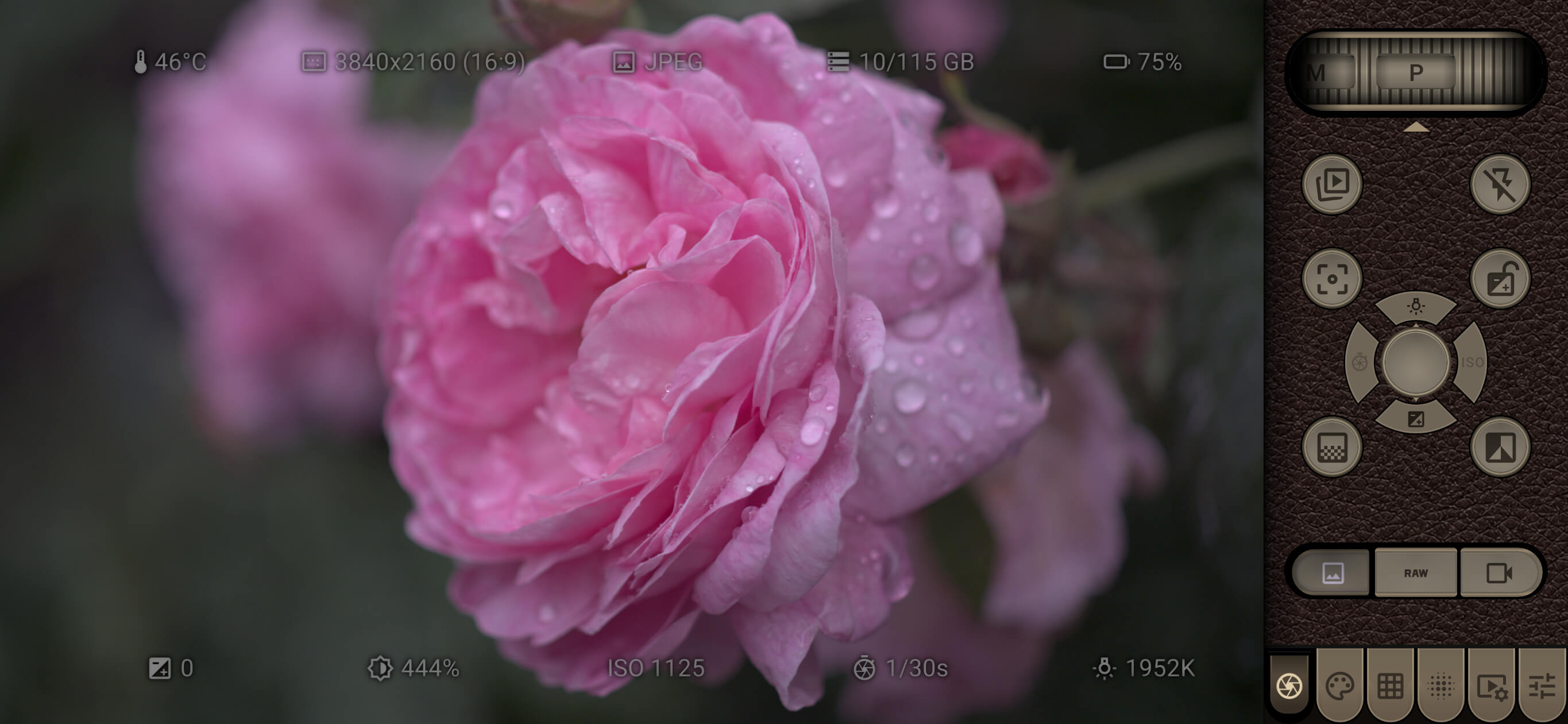
For C-Mount and other manual lens setups, the workflow is optimized for two-handed shooting: one hand naturally controls focus and aperture on the lens, while the other can reach virtually every on-screen control with a single thumb, without constantly changing your grip or moving the phone around.
This balanced layout reduces camera shake, speeds up operation, and creates a shooting experience that feels much closer to using a dedicated camera than a typical smartphone.
How to use
The center joystick selects the adjustment mode and acts as a shutter button. It can be moved in four directions, each corresponding to a different control:
- Up White Balance (WB)
- Right ISO
- Down AE / Sensor Boost
- Left Shutter Speed
The joystick also provides a quick way to cancel or reset: drag it again in the same direction, and the value will be reset to its default. The top scroll wheel adjusts the selected value just like on a real camera. Drag the wheel to change it, then press the wheel to confirm.
The scroll wheel can also be used to switch between shooting modes and saved configurations:
- Shooting Modes: P (Program), M (Manual)
- Saved Configurations: C1, C2, C3 for quick access to your favorite configurations